Home / Shop / Occasions / Festivities / St. Patrick's Day / Saint Patrick’s Day Emoji Pictionary Game


Home / Shop / Occasions / Festivities / St. Patrick's Day / Saint Patrick’s Day Emoji Pictionary Game
Saint Patrick’s Day Emoji Pictionary Game
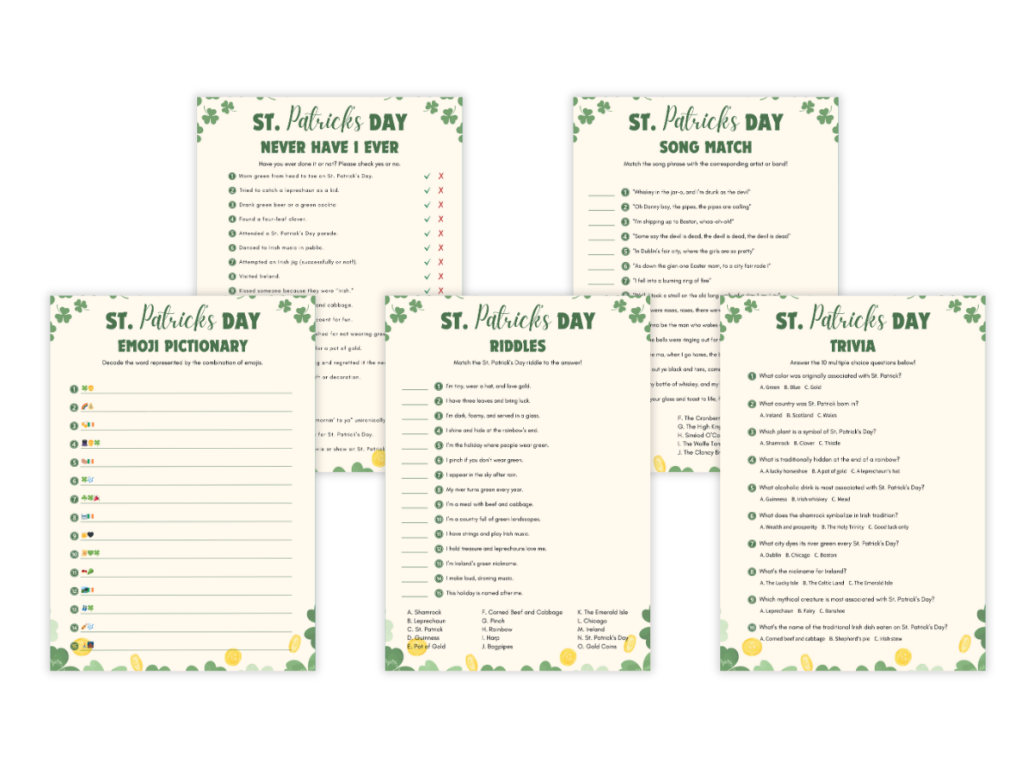
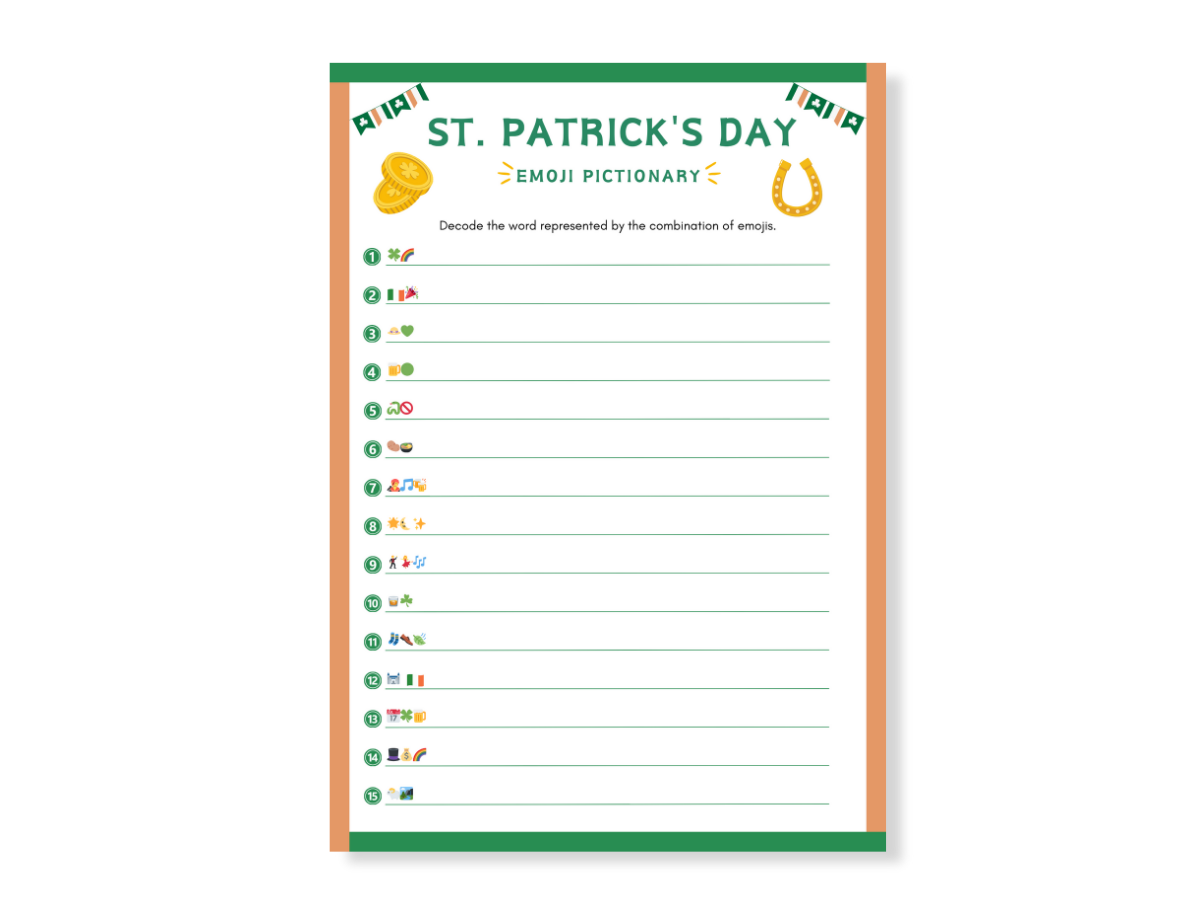
The Saint Patrick’s Day Emoji Pictionary Game is a fun printable activity perfect for St Patrick’s Day! Guess Irish-themed phrases using emoji clues.
Read more
$ 1.99
✓ Instant Digital Download
✓ 3 Print Sizes: US Letter, A4 & A5
✓ Printable PDF
✓ Easy-to-Print
Double the fun and save!
Buy 2 printable games or bundles and get 20% off with code: GAMEON20
- Download
- Play
Specifications
Why Choose the Saint Patrick’s Day Emoji Pictionary Game?
Four Reasons to Love This Printable Saint Patrick’s Day Emoji Pictionary Game
Fun for All Ages – Great for kids, teens, and adults to enjoy together.
No Screens or Internet Needed – Have fun without phones, tablets, or Wi-Fi.
Easy to Print and Play – Just download, print, and start playing immediately.
Perfect for Any St Patrick’s Day Celebration – Ideal for parties, classrooms, family nights, or group events.
Make Your St Patrick’s Day Party Fun and Exciting
Sometimes celebrations need a fun game to keep everyone entertained. This Shamrock Emoji Pictionary game brings smiles and laughter. It’s perfect for St Patrick’s Day parties, family nights, classrooms, or group gatherings.
Easy-to-Use Printable Game
This emoji guessing game is simple to use and fun for everyone. Choose from easy-to-print sizes like US Letter or A4. Just print the game sheets, hand them out, and start the fun right away.
Perfect for Family Gatherings, School, and Parties
Whether you’re at home, school, or celebrating at a party, this emoji game adds extra fun. Kids and adults alike will have fun guessing Irish-themed emojis. It makes your event more exciting and memorable.
What’s Included in the Shamrock Emoji Pictionary Game?
- Shamrock Emoji Game Sheet – guess St Patrick’s Day phrases from fun emoji clues.
- Answer Key – Quickly check answers and find out who got the most right.
How to Play the Shamrock Emoji Pictionary Game
- Download and Print – Print the game (How to Print) sheets at home or school.
- Pass Out Game Sheets – Give sheets to each person or team.
- Start Guessing – Guess what the emojis mean before the time runs out.
- Check Your Answers – Use the answer key to see who got the most correct guesses.
Why You Will Love This Emoji Pictionary Game
- Instant Download – Get your Shamrock emoji game right after you buy it.
- Simple and Fun – Easy for anyone to play and enjoy, even kids.
- Perfect for Any Group Event – Great for classrooms, families, parties, or team fun.
- Quick Set-Up – No extra materials or prep needed, just print and play or print professionally.
Important Details About This Printable Shamrock Game
- Digital Product Only – No physical items will be mailed. Just print at home.
- For Personal Use Only – Files cannot be sold or shared with others.
Make Your Next Celebration Full of Fun
This Saint Patrick’s Day Emoji Pictionary Game is the best way to make your St Patrick’s Day event special. Play with friends or family, guess fun emojis, and laugh together.
Click “Add to Cart” now and have an amazing St Patrick’s Day celebration!
How It Works: From Purchase to Party Fun
We’ve made the process of downloading, customizing, and using your digital game as easy as possible. Follow these steps to get started:
Step 1: Complete Your Purchase
Add the item to your cart and proceed to checkout.
Once your payment is processed, your files will be ready for you to access right away.
Step 2: Access Your Files
You’ll have two ways to download your files:
- Instant Download: A link to download your files will appear immediately on the confirmation screen.
- Email Confirmation: Shortly after purchase, you’ll receive an email with a direct download link.
Save the files to your computer for quick and easy access.
Step 3: Customize Your Template with Canva (If Editable)
Skip this step if you’re using a ready-to-print file.
If your game template is editable, you can easily personalize it using Canva. After purchase, you’ll receive a PDF file containing a special Canva link. Simply click the link, and your template will open instantly—no software downloads required.
How to Edit in Canva:
- Click the provided link in your PDF file to access the template.
- Customize text, fonts, colors, and design elements to match your theme.
- Once you’re happy with your edits, download the file in your preferred format and print.
Important Notes:
- Editable areas are pre-defined and may vary by template.
- Canva works best on a desktop or laptop; editing on mobile is limited.
Step 4: Your File is Ready for Printing!
With your file ready to go, you can select the printing option that works best for you:
- Print at Home: If you need a quick and easy solution, simply print your file at 100% scale (actual size) using your home printer. This method is ideal for small, last-minute print jobs.
- Professional Printing: For a professional, high-quality finish, consider using a trusted print service. We proudly recommend our partner, Printsoflove.com, for exceptional results.
Printsoflove.com makes it simple to upload your files, choose from premium paper options, and enjoy vibrant, crisp colors. Best of all, they’ll ship your finished prints directly to your doorstep, saving you time and effort.
Choose the method that suits your needs, and let your beautiful design come to life!
Step 5: Enjoy the Fun
Now you’re ready to host an unforgettable celebration! Share the laughs and joy with your family, friends, or party guests.
Essential Information About Your Digital Purchase
We want your experience with our digital products to be seamless and enjoyable. Please review the following key details to ensure you’re fully prepared to use your files effectively.
What You’re Purchasing
- This is a digital download only—no physical products or printed materials will be shipped to you.
- Our designs are not compatible with perforated templates, so standard paper or cardstock is recommended for printing.
- Editable vs. Non-Editable Files
Not all items are editable. Be sure to read the product description carefully to confirm whether your purchase includes customization options. - Editable Templates:
Editable PDFs must be opened in Canva (available for free).
Only text in highlighted fields can be customized. All other design elements are locked to maintain the integrity of the layout.
Printing Guidelines
- To ensure your design prints correctly, always set your printer to 100% scale or actual size—do not resize or adjust proportions.
- Avoid editing or viewing your files on a mobile device or tablet, as these may not support all features needed for proper use.
- Keep in mind that printed colors may differ slightly from what you see on your screen due to variations in monitor settings and printer quality.
Special Notes About Our Designs
- Gold Effect: If your design includes a glitter or gold effect, please note that this is a high-resolution graphic designed to mimic glitter—it does not contain actual glitter.
- Watermarks: The watermark displayed on our website is for online protection only and will not appear on your downloaded or printed files.
Usage and Copyright
Feel free to print your purchased file as many times as you need for personal use only.
- Commercial use, resale, or redistribution is strictly prohibited.
- Ownership of the artwork remains with the designer and is not transferred with the purchase.
Refund Policy
Because this is a digital product, we cannot offer refunds once the files are downloaded. Take a look at our Refund & Returns Policy.
However, your satisfaction is important to us!
If you encounter any issues or need assistance, please reach out through our contact page, and we’ll do everything we can to help.